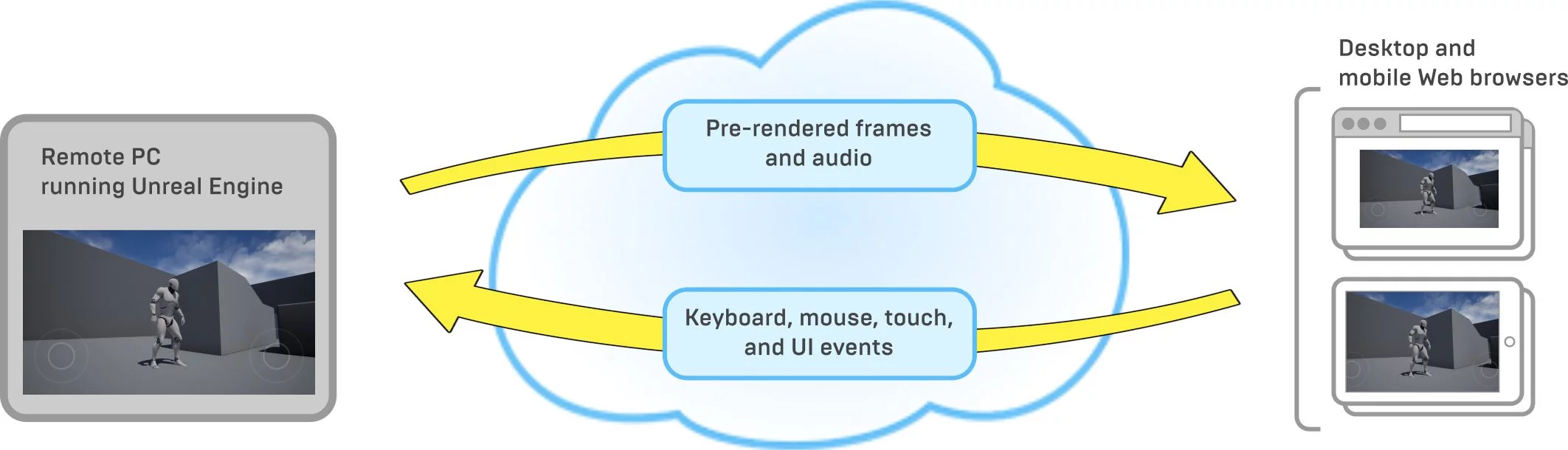
PixelStreaming is a technology supported by UE_4.21 that enables games to run on a server, allowing players to play via a browser. The player side requires no additional operation, only needing a browser, while all logic processing and rendering occurs in the “cloud.” It is not merely a plugin (although there is the PixelStreamingPlugin, which is just one part of the PixelStreaming implementation). Its implementation has a distinct design and organizational approach independent of UE games.
This article mainly introduces the basic concepts of PixelStreaming and shares practical experiences with the Demo using PixelStreaming.